New Filter & Sort Tools — Closed Beta Test
11
**Welcome to the closed beta test for our redesigned filter & sort tools! We've invited a group of our most experienced and active users to get hands-on with this feature before we roll it out more widely.** **We would love to hear what you think: What do you like about the new sort & filter? What's still unclear or doesn't work like you expect? What could be improved?** ----------- Where do you disagree with other forecasters? Which community predictions have shifted the most? And what was that nanotech forecast you meant to update? We've introduced new filter & sort tools that provide more control over your feed so you can find the questions that matter to you. 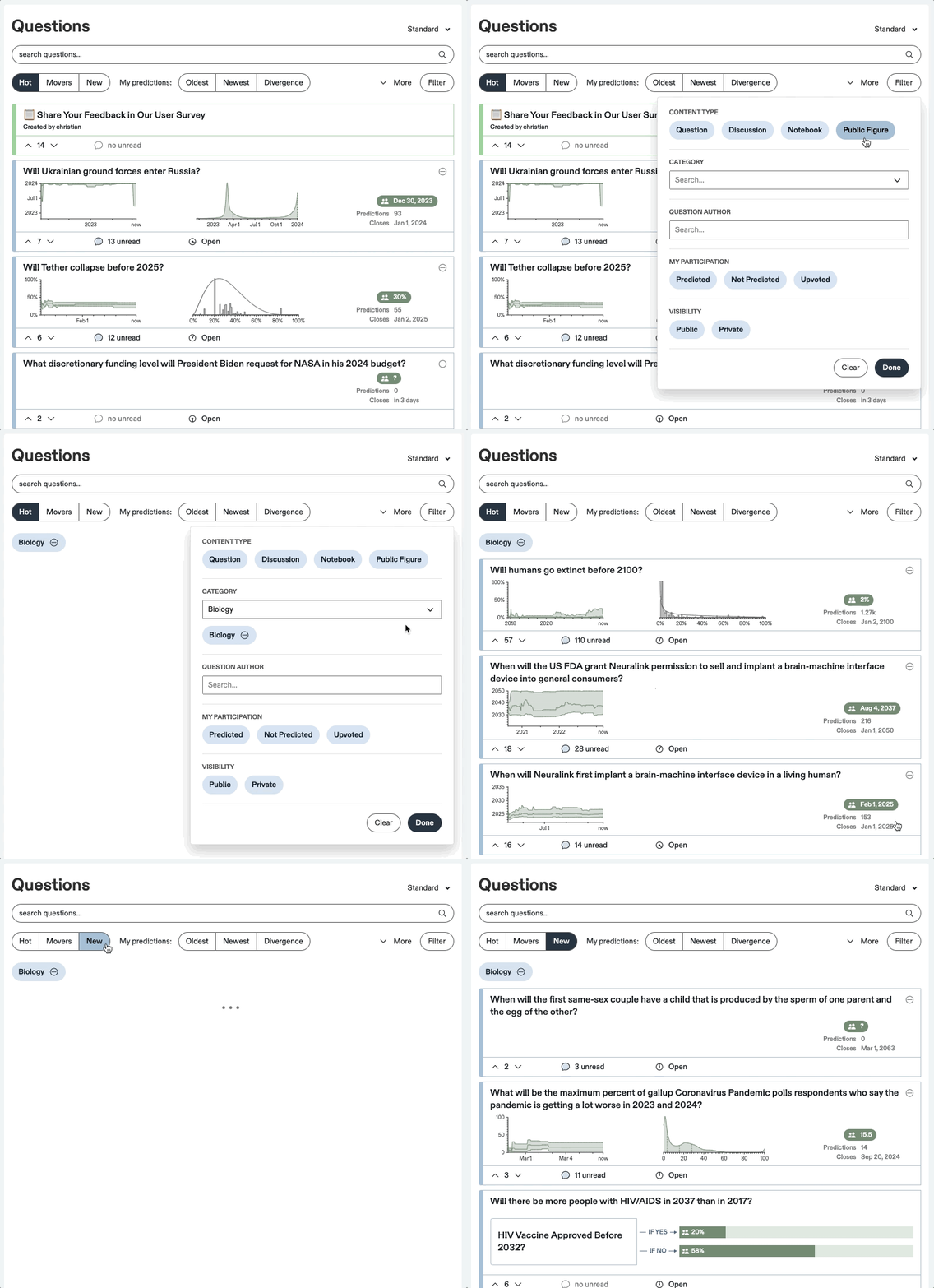 # How Does It Work? **Hot** — The default feed. Sort by Hot to see the questions forecasters are focused on. **Movers** — This sorts by the largest shifts in community prediction over the last week. **New** — This sorts by the newest questions to appear on Metaculus—including those that are still Upcoming. ##🔭 My Predictions **Oldest & Newest** — Click to sort questions by when you last predicted on them. **Divergence** — Discover where your forecast differs the most from the community prediction. ##➕ More If you would like even more control over your feed, select the More menu to access these dropdown options: - Most upvotes - Most comments - Most predicted - Soonest closing - Most unread comments ##🚰 Filter Click filters to toggle them on and off, revealing different sets of questions. You can combine filters together and add sorting for even more control. **Content Type** — Search for forecast questions, discussion posts, public figures, and notebooks. **Question Type** — Narrow your search to binary questions, question groups, conditional pairs, or other question types. **Question Status** — Filter on forecast question statuses such as Open, Resolved, or Pending Resolution. **Category** — Previously, the list of categories was exclusively located [here](https://www.metaculus.com/questions/categories/). Now you can select categories from the main feed page to streamline your search. **Question Author** — Enter a Metaculus username to find all the questions they've created. (Note: This field is case sensitive.) **My Participation** — These filters select for how you've participated on a given question, whether by predicting, not predicting, or upvoting. **Visibility** — Select whether to view public or [private](https://www.metaculus.com/help/faq/#question-private) questions. <br /> To remove filters, simply click 'Clear' or the minus sign next to the filter. <br /><br /> ------- **We’d love to hear your thoughts in the comments below, and we greatly appreciate your feedback!**